
Apartment Design App
With this apartment design app, you style your living room, bedroom and kitchen in 3D, each starting from a finished look. It works as a web app in the browser on your phone or computer, with nothing to download and no sign-up. It is free.
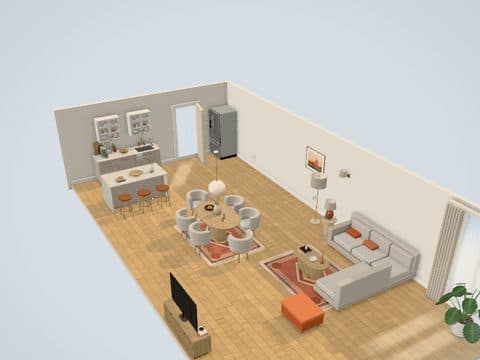
What you can design across the apartment
You design three rooms and switch between them from the room menu at the top of the screen.
- Living and dining: an open-plan room with a lounge, a dining table and a kitchen run.
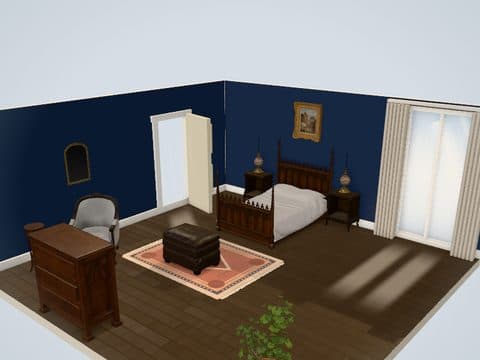
- Bedroom: the bed wall, wardrobe or dresser, mirrors and lamps.
- Kitchen: counters, island, lit wall cabinets, tile panels and a dining table.
Use the Modern look in all three rooms for a matching apartment, or mix looks room by room: Farmhouse in the kitchen, Gothic Classic in the bedroom and Vintage Eclectic in the living room.
Who it is for
- First-apartment renters planning each room before move-in day
- Roommates sharing a PNG of the shared living room before anyone buys a sofa
- Anyone furnishing a new place one room at a time
The order to tackle rooms and purchases is in how to decorate an apartment.
How it works in three steps
- Open the styler, pick a room and choose a look.
- Move furniture, paint the walls, change the floor and set the lighting.
- Save, switch to the next room from the room menu and repeat.
The styler asks before switching rooms with unsaved edits, so no room is lost by accident.
What it does not do
It does not draw your apartment's floor plan. Each room is a separate, fixed-size space, so it plans the style and layout of each room, not how your rooms connect.
- No floor plan drawing and no custom dimensions
- No studio apartment or dorm room preset yet
- No photo upload and no AI redesign
- No App Store or Google Play version, because it is a web app
Each room has its own page on the 3D room planner hub.
Start with the room you will use most, then move on to the next.
Design your apartmentQuestions people ask
Do I have to download the apartment design app?
No, it opens in your web browser. There is no App Store or Google Play version and nothing to install.
Can I design a studio apartment?
Not as a studio preset yet. The open-plan living and dining room with its kitchen run is the closest starting point.
Are my apartment designs saved?
Yes, designs save in the browser on the device you used. Download a PNG of each room to keep or share it elsewhere.
Try the look in the free 3D styler before you buy anything.
Design your apartmentKeep reading
How to Decorate an Apartment
A seven-step plan, from the tape measure to the finishing touches.
Studio Apartment Ideas: Zone, Plan and Decorate One Room
Zone one room for sleeping, cooking and living, then plan and decorate it in the right order.
Decorate My Room
Decorate a ready-styled 3D room with paint, rugs, art and lamps. No photo needed.